Setting up a Windows XP computer in 2026 - Part 1 - The Hardware
The history behind this article
I grew up in an era that was, in my opinion, one of the greatest times to be a child. Born in 1993, I was blessed to have an amazing childhood during the increasing popularity (and feasibility) of having a personal computer at home. My first contact with a PC happened through my great-uncle, who was a mechanical designer in an industry that had recently adopted one of the first versions of AutoCAD[1], which ran entirely in a console-like GUI.
This old gentleman had a computer in his living room with the classic DOS version of Prince of Persia[2], which he let me play so I would have something to do while my parents had time to chat peacefully around the dinner table instead of chasing me through someone's home full of delicate objects. I was around 5 or 6 during that time, and my father would soon buy his first personal computer that would be placed in our apartment.
Our first home computer ran Windows 98[3], had one of those IBM CRT monitors, and opened the door to a magical part of my childhood, especially since my father would bring games from his trips to the United States. Since he wanted us to have contact with the English language since the first years of our lives, he found that bringing me English-language games would help me learn and keep me entertained during the last part of the day.
From the first days playing and drawing at the Paint app, to learning how to navigate the internet, I immersed myself in the computer, trying to understand how the machine worked, and found more and more to learn each time.
As time passed, my joy for gaming constantly increased. By the early 2000s, I immersed myself in more advanced games such as RollerCoaster Tycoon[4] and The Sims[5], evolving my curiosity together with the operating system updates that came year by year. Unfortunately, we don't have that early PC anymore (although I wish I could), and the farthest I could go on having a small piece of old tech was this old computer from 2010 that my grandfather kept until the days before passing away. Since my grandmother wanted to give away this machine, I was the first to stop her.
I removed the hard drive intact, preserving the years of data my grandfather left there. It contained countless documents from his work, apps and photos, and even his French .exe dictionary. As this is now carefully stored, the machine itself is now going to serve another, unexpected purpose: To accompany my son on his journey into the world of computing.
Components and Their Capabilities
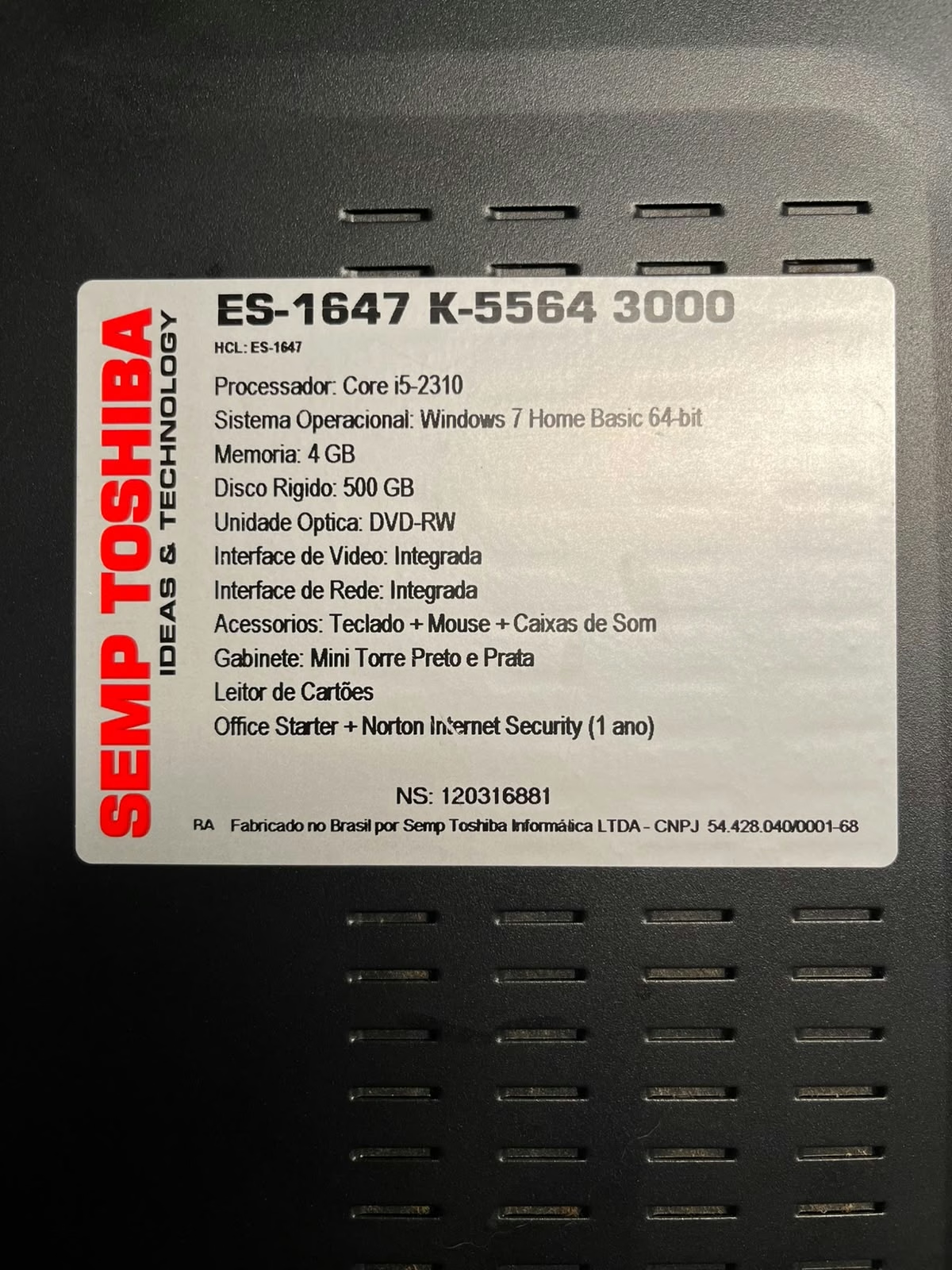
This machine was built by a partnership between SEMP[6], a Brazilian technology company, and TOSHIBA, the Japanese multinational. These two companies joined forces in 1977 to expand the electronics market in Brazil and held their partnership for almost 40 years. Because of this, there are many computers and TVs from the 1990s and 2000s that are branded SEMP TOSHIBA and are widely available across the country.
They did not develop any of the specific components. All the computer components were manufactured by either Chinese or Brazilian companies, assembled together, and then labeled with their joint brand. Because of this, it was somehow hard to find the specific drivers. Since the partnership is long gone, there was no SEMP TOSHIBA website from which I could download resources, which sent me searching for the multiple IDs printed on the components.
The whole setup came branded as the model ES-1647 K-5564 3000 with the following details printed on the side:
| Processor | Core i5-2310 |
| Operational System | Windows 7 Home Basic 64 bit |
| Memory | 4Gb DDR3 |
| Hard Drive | 500Gb |
| Optical Driver | DVD-RW |
| Video | Integrated |
| Network | Integrated |
| Accessories | Keyboard + Mouse + Speakers |
| Computer Case | ATX - Black and Silver |
| Other Peripherals | SD Card Reader |
| Additional Software | Office Starter + Norton Internet Security (1 year) |
I extracted the specific details of the build using CPU-Z. The report is on the next article in the series.
Motherboard and Power Supply Unit
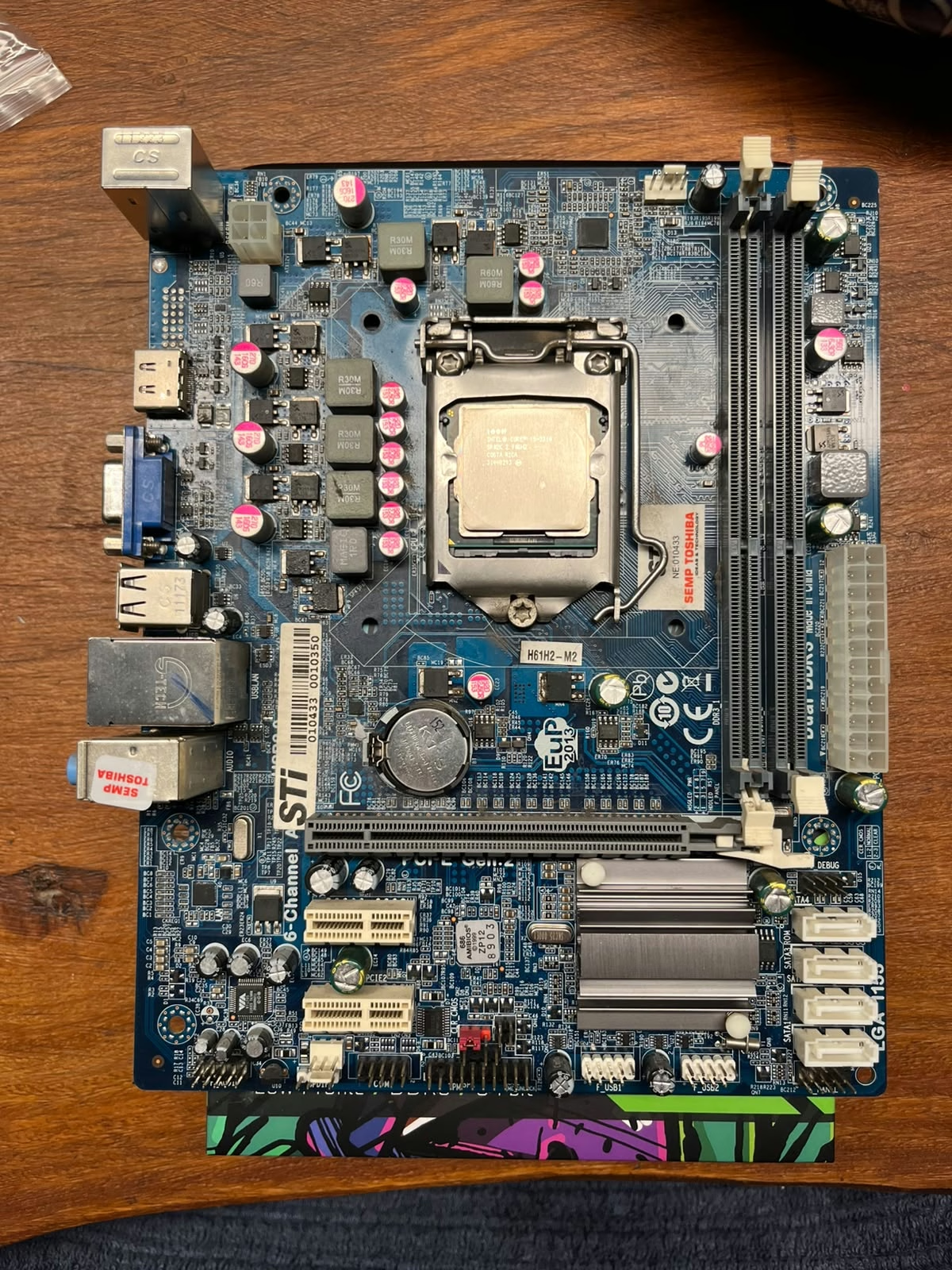
The motherboard used on this computer is a H61H2-M2(V1.0)[7] from ECS and uses an LGA1150 Intel socket. The board has one PCI Express x16 Gen 3.0 slot and two PCI Express x1 Gen 2.0 slots, uses an AR8152-B 10/100 Fast Ethernet Controller, has four SATA II 3 Gb/s connectors and four USB 2.0 ports. The board has a specific PSU 4-pin ATX12V connector that feeds energy directly to the processor, together with the classic 20-pin PSU input.
The motherboard model used by SEMP TOSHIBA did not have its version printed anywhere, and the model name was also rewritten by the BIOS firmware when the computer was originally shipped assembled. Since this motherboard had two versions and the BIOS update could brick if the wrong one is selected, it was incredibly challenging to identify, and I ultimately took the risk of running the v1.0 BIOS update first. More on this on the next article, where I will cover the software aspects of the build.
The ports on the back are standard for a board manufactured in the early 2010s, and the board is reasonably well manufactured. After a few minutes inspecting it, the caps and the ICs looked remarkably good for a 16-year-old machine.
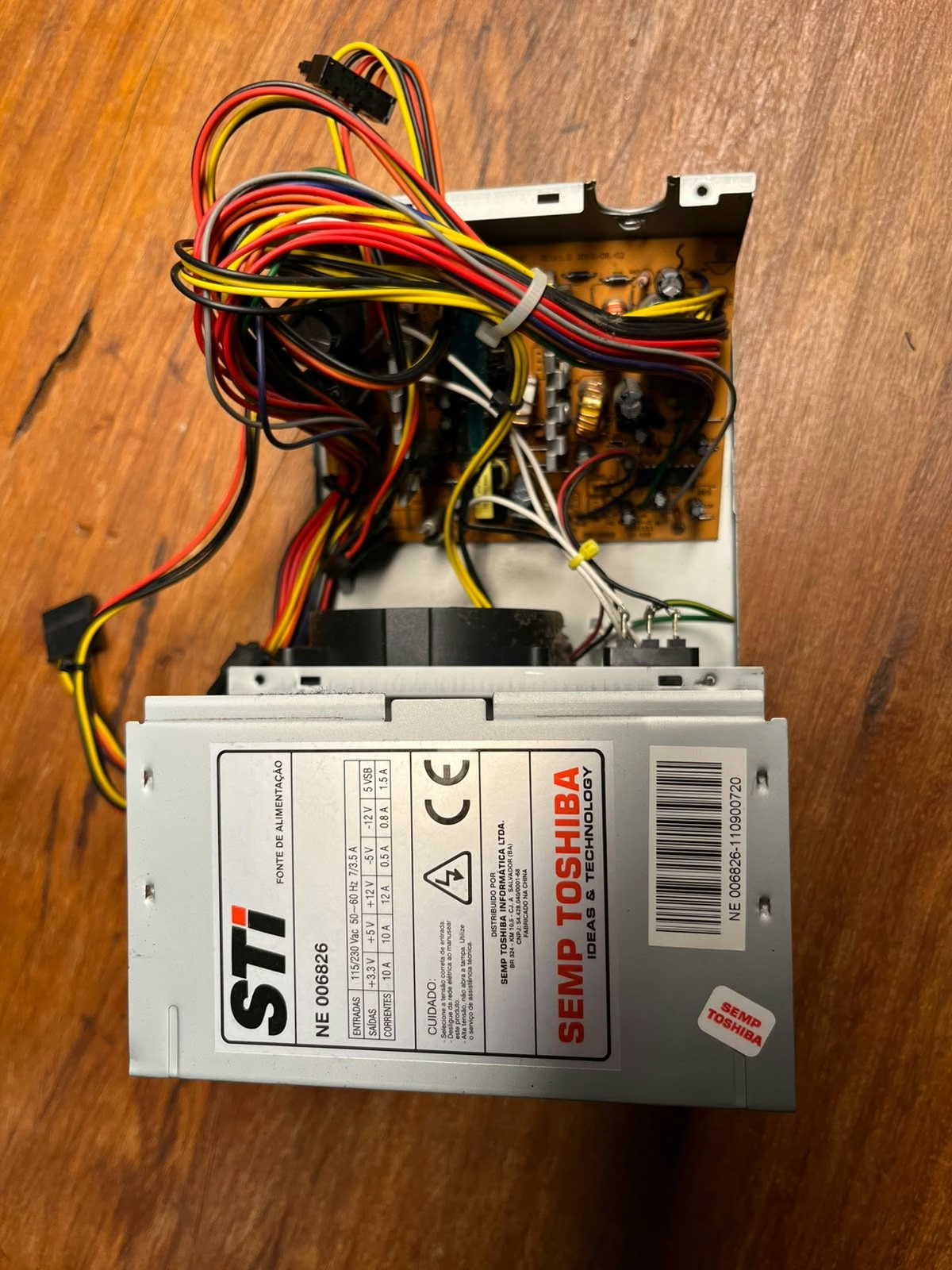
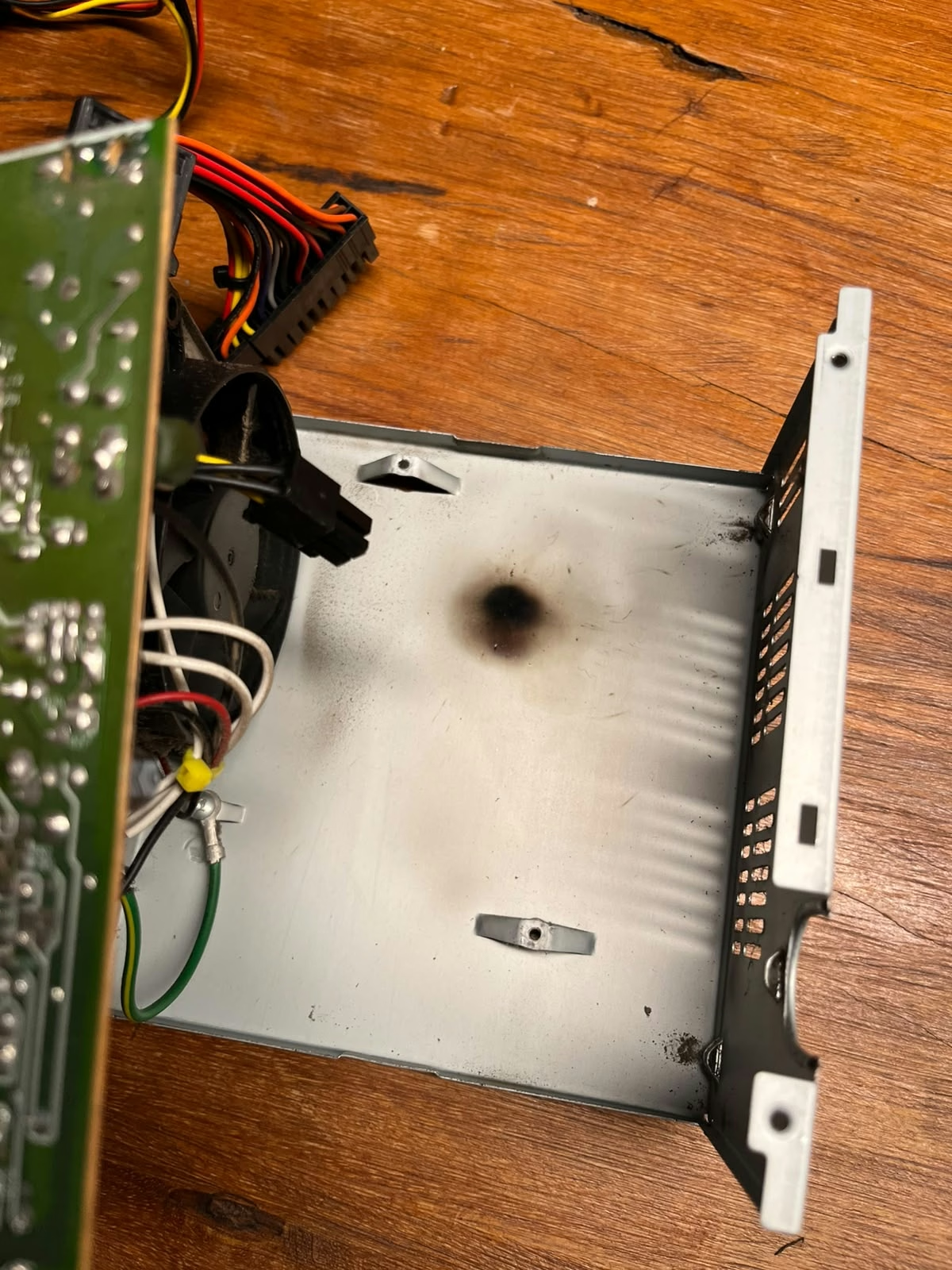
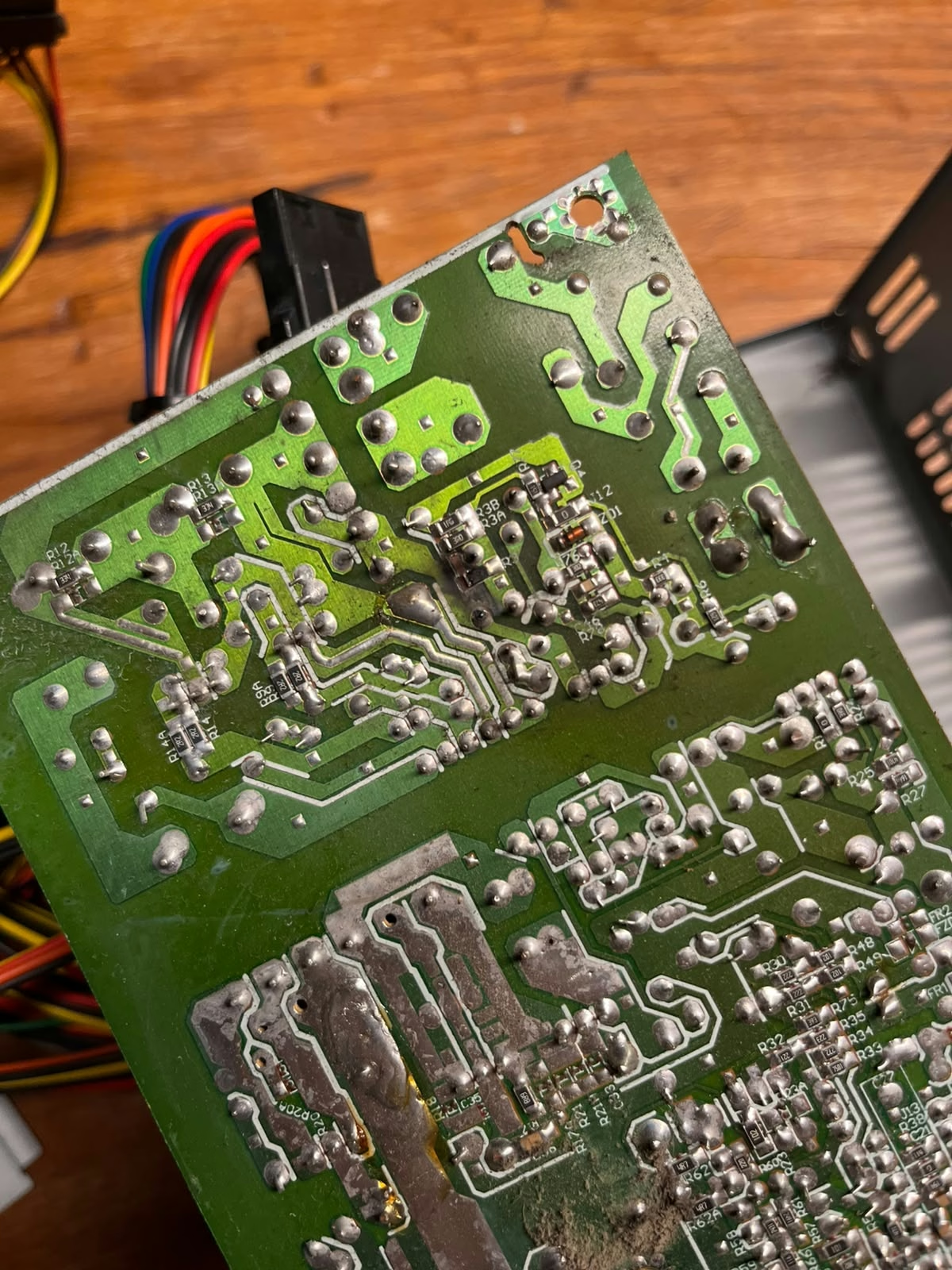
The day I arrived home and plugged the computer into the power outlet, then pressed the power button, there was no life. I suspected it could be something related to the PSU because the computer would sit idle (but connected) at my grandmother's house for a long time, being exposed to power outages and surges. My main hypothesis was confirmed: The PSU was burnt with a big mark on its internal shell. I am not enthusiastic about continuing to repair PSUs, mainly because anything connected to an outlet makes me nervous, so I bought a new one.
The processor of this build is an Intel Core i5-2310, with the following specifications.
| CPU Specifications | |
|---|---|
| Total Cores | 4 |
| Total Threads | 4 |
| Max Turbo Frequency | 3.20 GHz |
| Intel® Turbo Boost Technology 2.0 Frequency | 3.20 GHz |
| Processor Base Frequency | 2.90 GHz |
| Cache | 6 MB Intel® Smart Cache |
| Bus Speed | 5 GT/s |
| TDP | 95 W |
| Essentials | |
|---|---|
| Product Collection | Legacy Intel® Core™ Processors |
| Code Name | Products formerly Sandy Bridge |
| Vertical Segment | Desktop |
| Processor Number | i5-2310 |
| Lithography | 32 nm |
| Ordering and Compliance | |
|---|---|
| Marketing Status | Discontinued |
| Launch Date | Q2'11 |
| Expected Discontinuance | Q1'2013 |
| Servicing Status | End of Servicing Lifetime |
| End of Servicing Updates Date | Tuesday, December 31, 2019 |
| Embedded Options Available | No |
| Memory Specifications | |
|---|---|
| Max Memory Size (dependent on memory type) | 32 GB |
| Memory Types | DDR3 1066/1333 |
| Max # of Memory Channels | 2 |
| Max Memory Bandwidth | 21 GB/s |
| ECC Memory Supported | No |
| Package Specifications | |
|---|---|
| Sockets Supported | LGA1155 |
| Advanced Technologies | |
|---|---|
| Instruction Set Extensions | Intel® SSE4.1, Intel® SSE4.2, Intel® AVX |
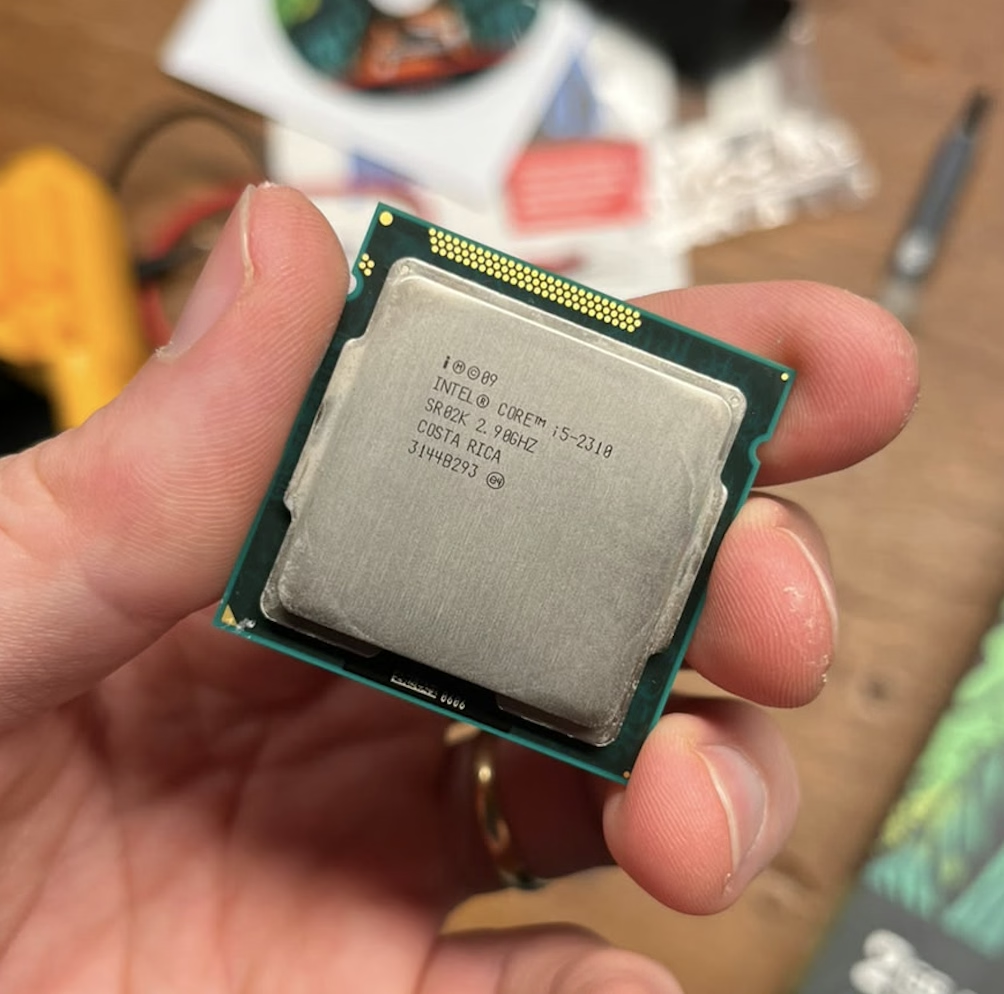
There is something about holding old processors that takes me back in time. There were days when these processors were genuinely high-end, and now, they sit very cheap on eBay. A ton of thinking, development, engineering and design went into something that today is nothing much. This makes me wonder if I should start a processor collection just to have a piece of history on my desk.
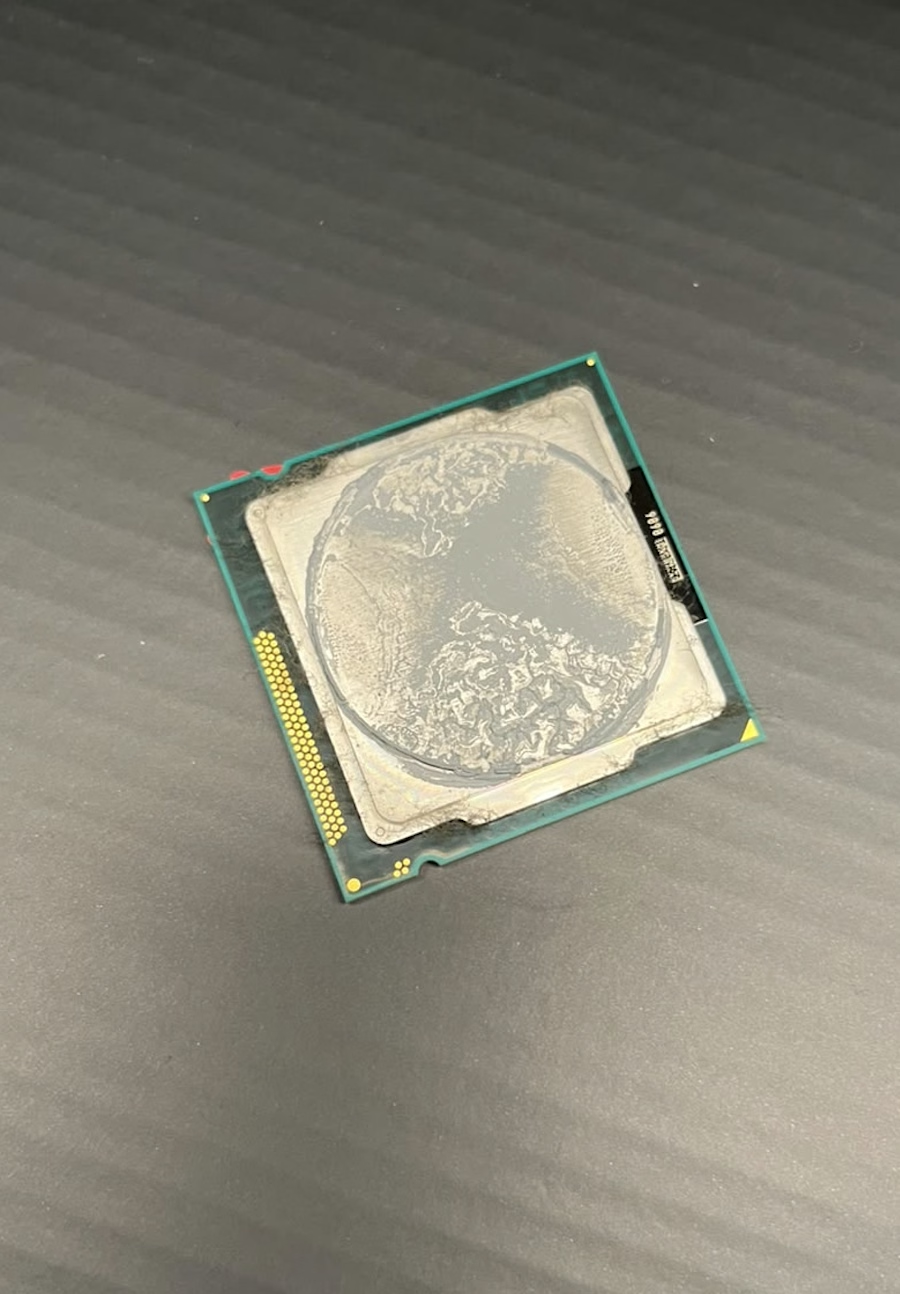
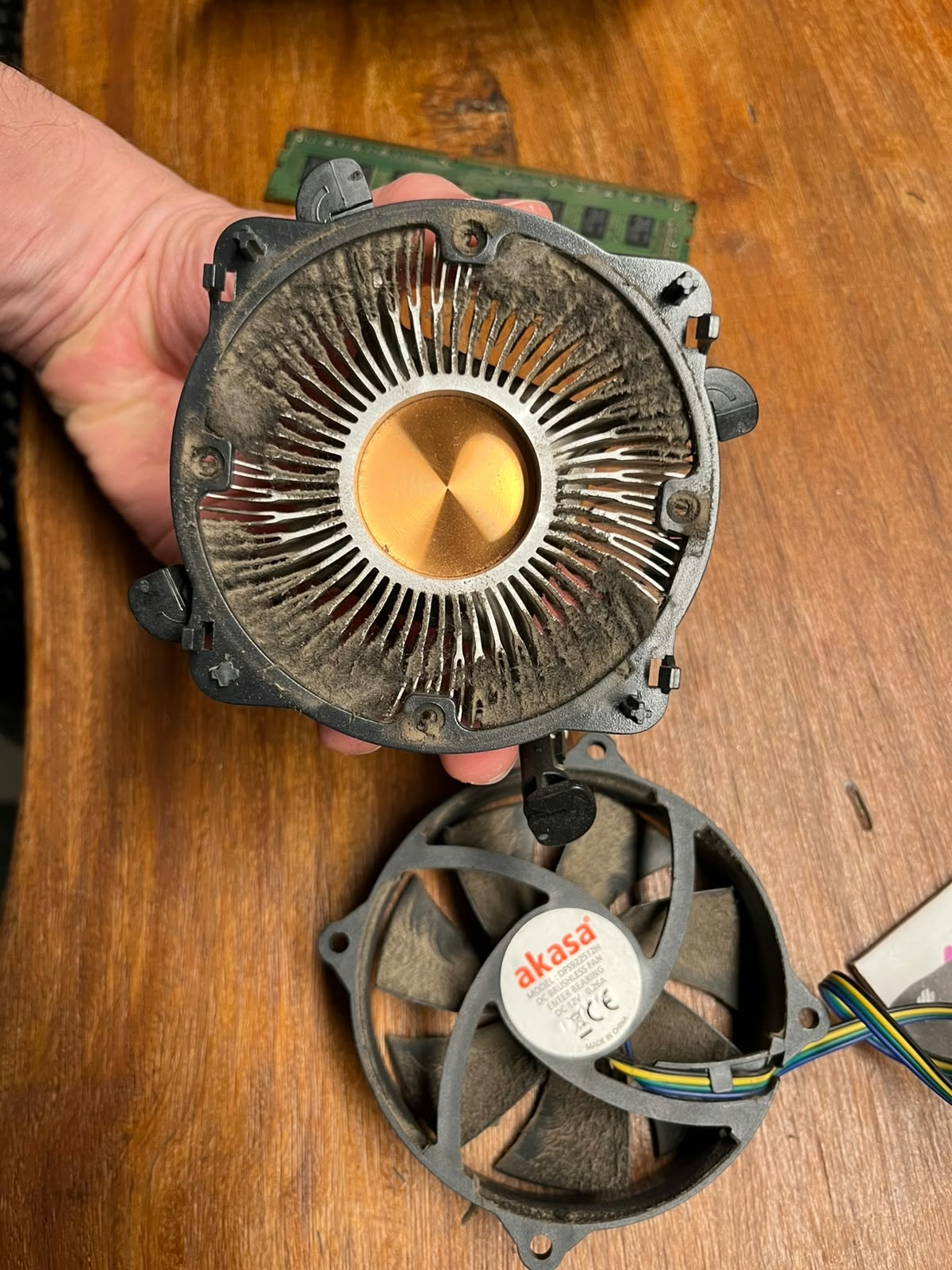
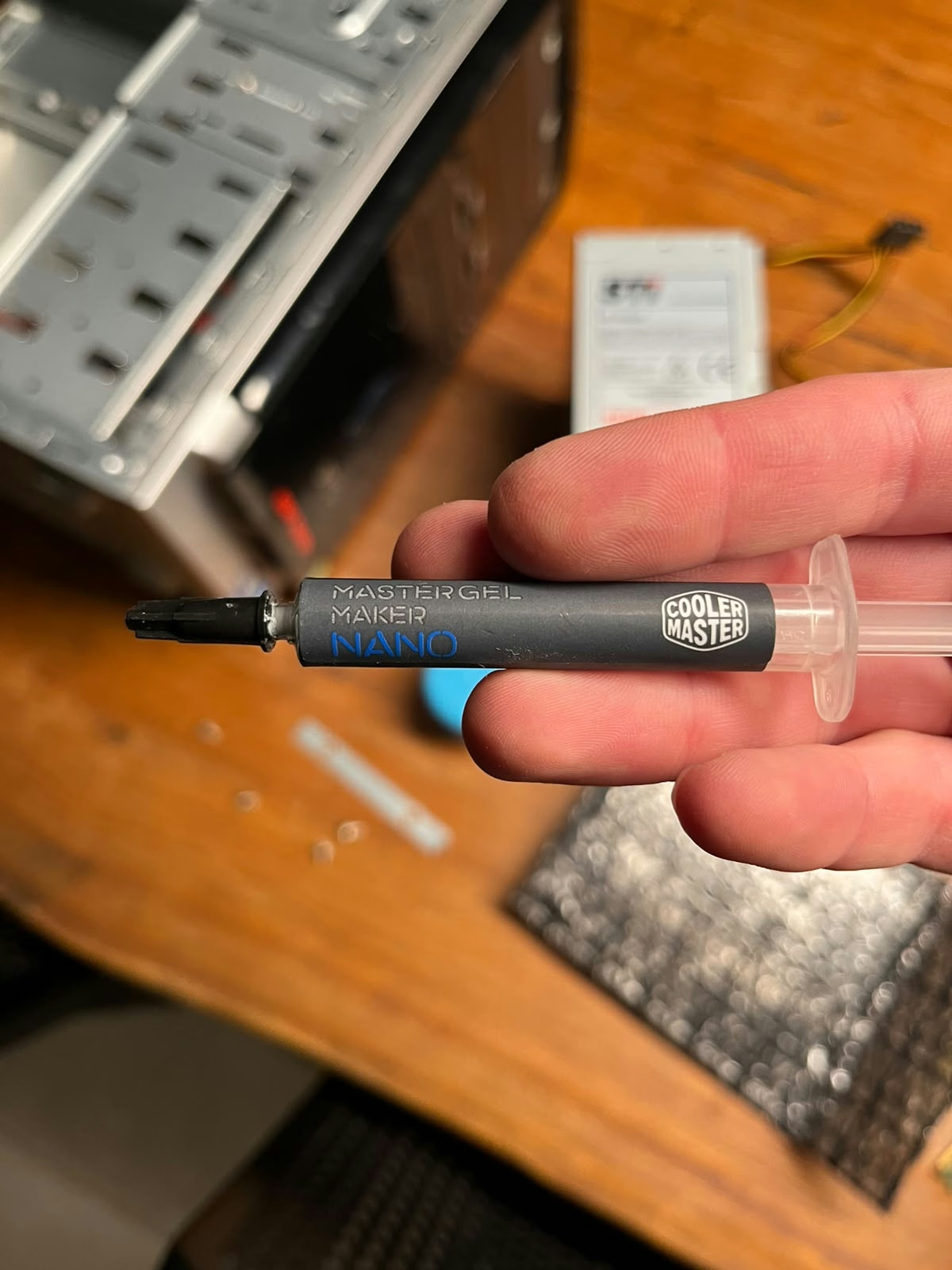
When I opened the computer, both the fan and the thermal paste were in poor condition, and I had to clean the fan and the heatsink, as well as to replace the thermal compound so it could handle the games I plan to run on it. I've selected the Cooler Master Maker Nano paste for the job, which is quite good and I use on almost all my other setups.
Memory and Storage
As stated at the beginning of the article, the first thing I did was remove my grandfather's hard drive and store it. I want to be able to look through his work in the future, so I replaced it with a 120GB HD that I had lying around. Since I am not going to run demanding games on it, this size is sufficient for most of what I plan to do. The RAM stick is a stock DDR3 4 GB DRAM.
Video Card - New Addition to the Setup
The biggest add-on for this setup was clearly the video card. I remember being super frustrated when I was young and got new games from my parents, only to have them run at 10 FPS in my excitement to play, without clearly understanding why. Now that I am more familiar with this world, I get that neither my father nor my mother (and, at the bottom of this list, my grandfather) knew what a video card was, or its role in making my games more enjoyable. Now that I know, adding a video card to this setup adds peace of mind that the experiences my son and I are going to enjoy will be much better.
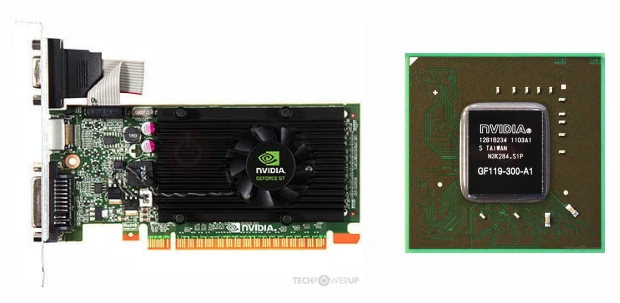
The selected model was the NVIDIA GEFORCE GT 710, because it still uses the Kepler architecture, which is well known to have better compatibility with older operating systems. It also needed to be cheap because I was not ready to invest more in the setup at this stage of my life. This was a great pick since it was a good balance of power consumption, performance, and compatibility.
| Graphics Processor | |
|---|---|
| GPU Name | GK208B |
| GPU Variant | GK208-203-B1 |
| Architecture | Kepler 2.0 |
| Foundry | TSMC |
| Process Size | 28 nm |
| Graphics Card | |
|---|---|
| Release Date | Mar 27th, 2014 |
| Production | End-of-life |
| Driver Support | Legacy |
| Bus Interface | PCIe 2.0 x8 |
| Relative Performance[8] | |
|---|---|
| GeForce GT 240 | 125% |
| GeForce GT 440 | 123% |
| Radeon HD 4670 | 117% |
| Radeon HD 5570 | 107% |
| GeForce GT 430 | 106% |
| GeForce GT 710 | 100% |
| GeForce GT 220 | 81% |
| GeForce GT 520 | 66% |
| Radeon HD 6450 | 62% |
| Radeon HD 5450 | 53% |
| Radeon HD 4550 | 41% |
| Clock Speeds | |
|---|---|
| GPU Clock | 954 MHz |
| Memory Clock | 900 MHz (1800 Mbps effective) |
| Memory | |
|---|---|
| Memory Size | 2 GB |
| Memory Type | DDR3 |
| Memory Bus | 64 bit |
| Bandwidth | 14.40 GB/s |
| Board Design | |
|---|---|
| Slot Width | Single-slot |
| TDP | 19 W |
| Outputs | 1x DVI, 1x HDMI 1.4a, 1x VGA |
references