Open-Source AI Notetaker - Track and Summarize Conversations with Open-Source Hardware
What is this?
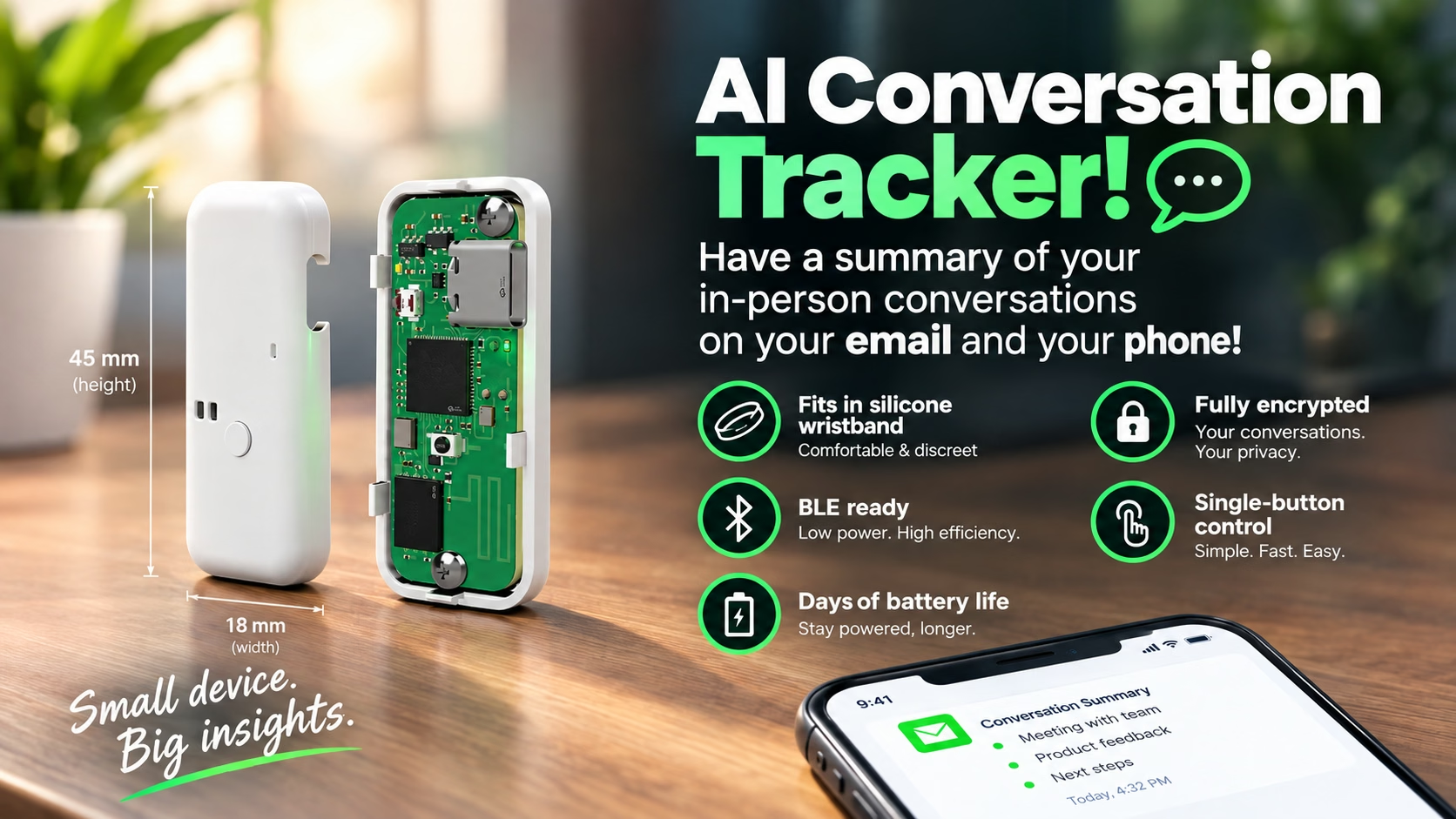
This is a small, open-source device that can record conversations and voice notes, then transcribe and summarize them using AI.
Introduction and Objectives
The increasing use and availability of AI bring new possibilities for optimizing our day, our interactions, and the way we navigate and explore our world. Some of these possibilities take the form of expensive gadgets that do really simple things. This is one of them. Companies like Plaud.ai[1] and Omi.me[2] charge premium prices for basic microphones and locked-in tech, while leaving you unsure about what happens to your audio recordings. This project aims to solve this problem by giving you hardware, firmware, and an app that are completely open source for the community to develop and maintain, as well as a piece of technology that you own, including both the device and its recordings.
The objectives of this project are simple:
- The device should record, encode, and store voice audio.
- The device should be able to send audio to a central location that will transcribe and summarize the recordings.
- The user should own the audio, transcripts, and summaries, and the device and app should only share them with configured LLMs if the user chooses.
- The device should be small, use inexpensive components, and be easy to manufacture through providers such as JLCPCB.
- All code and hardware files should remain open source forever.
- The user should own the device and its recordings, and control what is done with them.
Hardware
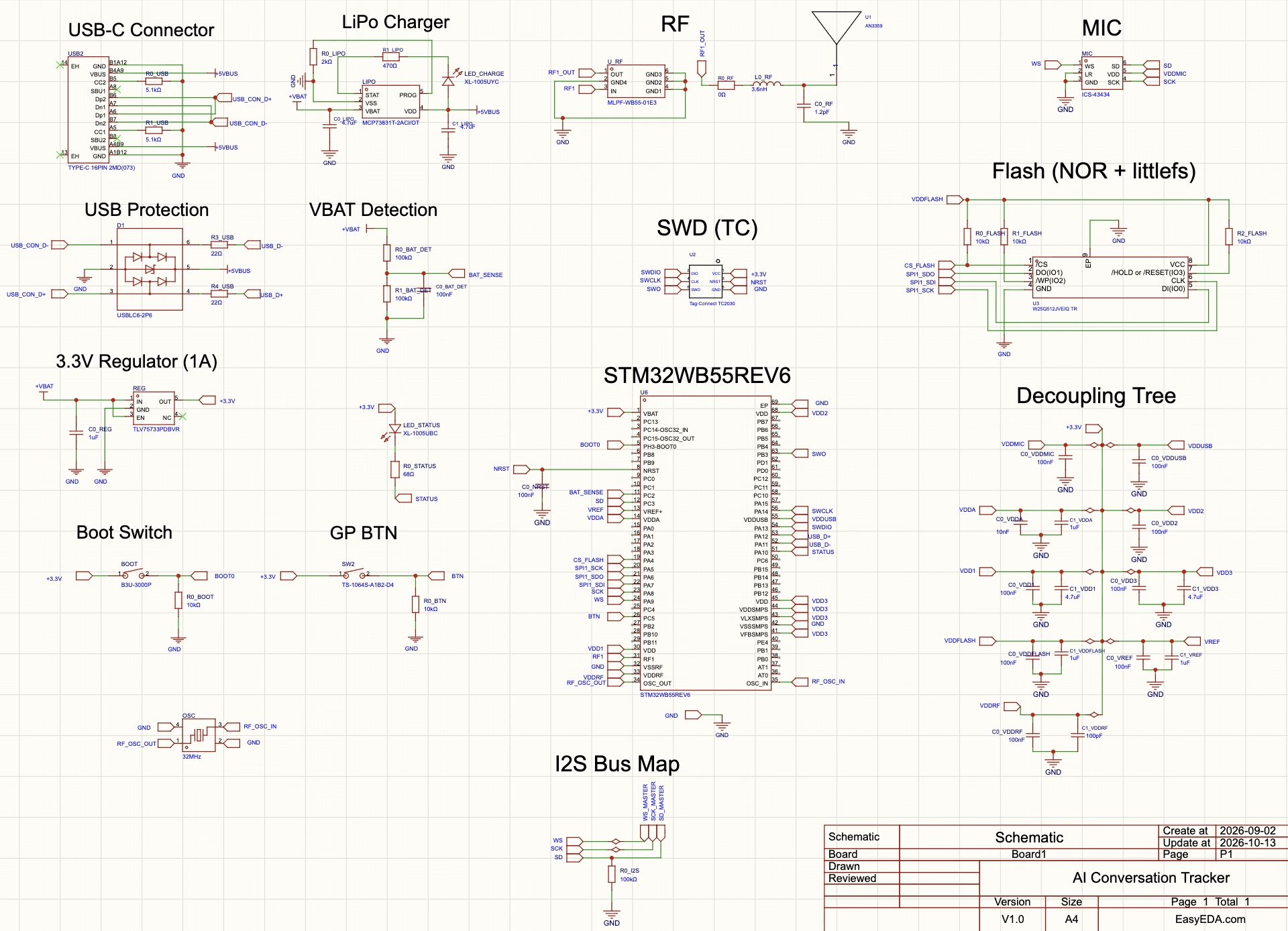
The device's core MCU is an STM32WB55REV6 microcontroller with BLE capabilities and low-power options. It features a ton of GPIO ports and supports SPI, USART, I2C, and I2S communication protocols, as well as alternate functions such as an LCD driver, which is not used in this project. This MCU was chosen because it's a simple microcontroller available almost everywhere, it's cheap, its footprint is fairly small for the number of available functions, and it's one that I'm very used to developing hardware and software for. It's an all-around workhorse for maker projects and can handle the recordings well. Its BLE capabilities make it easy to include wireless connectivity without adding a lot of components.
The microphone selected is nothing special. It's a TDK InvenSense ICS-43434. Once again, the selection criteria were availability and price, as well as support for the I2S communication protocol, which matches the capabilities of the STM32WB55REV6.
Peripherals for managing battery charging, connections, and power regulation were also carefully selected. You can check the entire schematic (as of October 2026) below. For the latest version, please check the OSHWLab project.
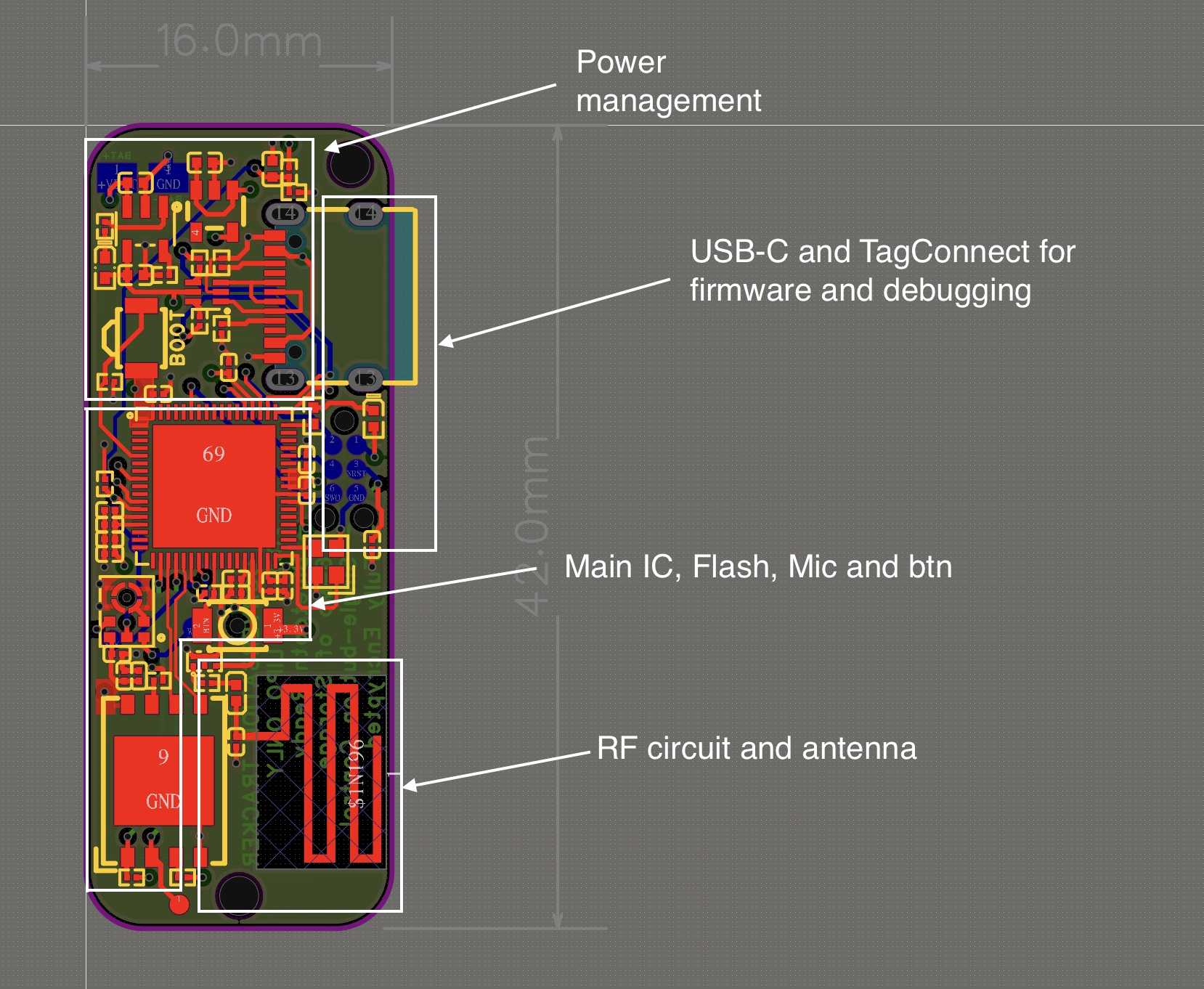
For the PCB, I chose a pill-shaped design similar in size to some wristband trackers, hoping it would fit their silicone bands. This turned out not to work, as these devices use slightly different shapes and sizes, making it hard to create a one-size-fits-all design. In the end, I designed and 3D-printed a band for this device that can also be found in the OSHWLab project.
The PCB uses a 6-layer design. A 4-layer board is theoretically possible, and I encourage you to try it out if you're a hardware enthusiast, but since JLCPCB's 6-layer boards are fairly cheap these days, I chose this option for the extra routing space. The assembly is single-sided and, in my view, should stay that way. Assembling two-sided boards makes the cost of such a device skyrocket, which isn't advisable for a project that aims to be an alternative to expensive, proprietary devices.
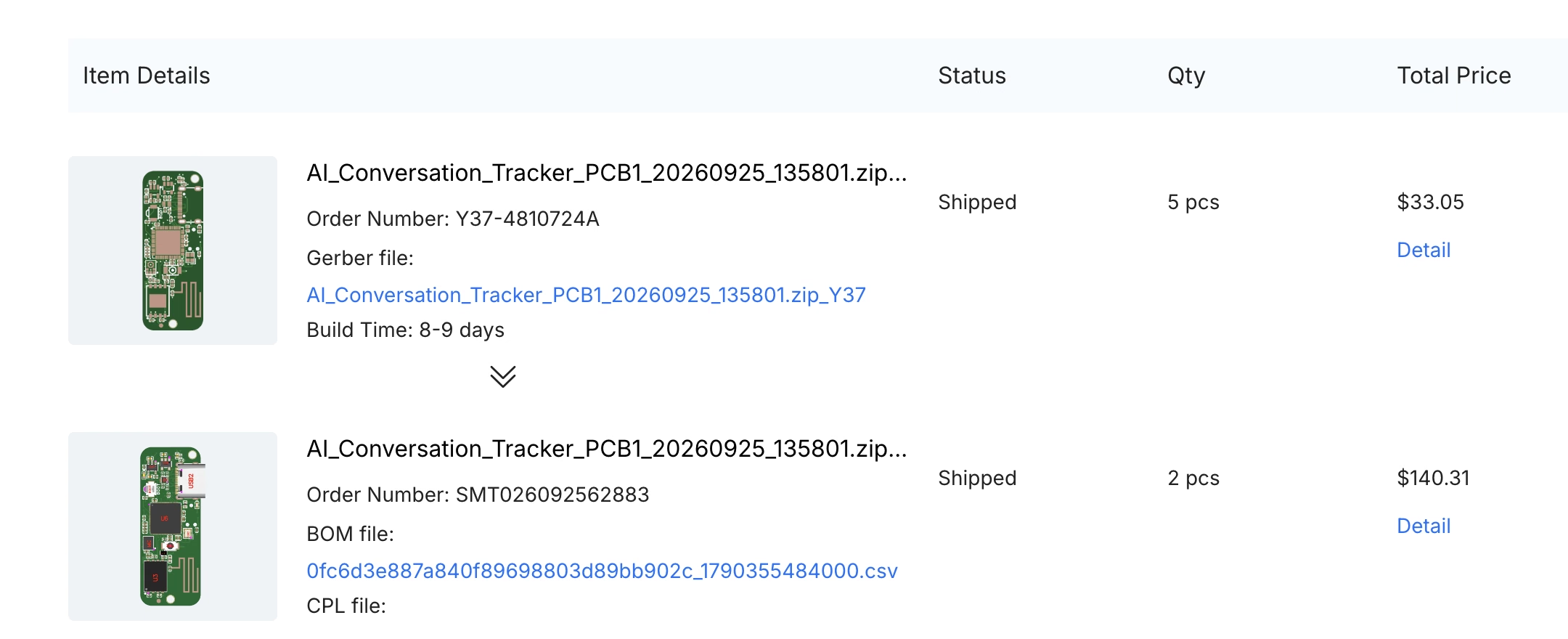
Manufacturing was done through JLCPCB[3], at a cost of around $70 per unit, including components and assembly. With the coupons that JLCPCB often offers, the cost per unit can drop to around $60. Shipping varies a lot, so I haven't included it here, but it needs to be considered too.
The casing is just a plastic enclosure that holds the 1S 200 mAh LiPo battery together with the PCB and protects the device. I made mine with transparent resin through JLCPCB to look cool, but less distracting designs are possible (such as opaque white to hide the internals). In the view below, I've made the front cover translucent so you can see how the components are arranged inside. In the end, that's the beauty of open source: you have the files, so you can manufacture it in any design you want :). The 3D files are also attached to the OSHWLab project, which can be accessed here.
Firmware
Firmware development was done in C, without a HAL layer. I chose this approach to have control over literally everything. HAL layers are useful, but they bring a ton of things that you don't necessarily need in a project. That's the trade-off for portability, which isn't necessary for this project. I also used AI to code most of it, since writing everything by hand would have taken me a TON of time. The main file (the STM driver), called stm32wb55xx.h, is the only part of this project that I wrote mostly by hand. It comes from another project of mine, and I've spent a lot of time validating the microcontroller's addresses against the documentation. AI sometimes makes a mess when dealing with microcontroller docs because they use complexly formatted tables, sometimes including embedded images, to explain relationships and addresses. In my experience, AI often struggles to parse these tables and sometimes picks the wrong addresses.
It doesn't make sense to detail the firmware and its structure here, since the code is constantly changing (and this article is not). With that in mind, you can find the device firmware here.
App
The app was the most interesting part of this development because it was the first time I'd built a native app using AI. Since I'd recently gotten an iPhone 17, I was curious to experiment with a development process involving both an app and its interaction with a physical device. I chose to keep the app simple, and as of this writing, it only works on iOS. I decided not to use a hybrid technology because such technologies have a reputation for being slow and unreliable (that could have changed; my last experience was in 2021 or so). Since AI exists and is fairly cheap now, developing natively is the way to go.
I chose to make the design functional while keeping the app easy to maintain, with few screens and a straightforward layout. The app consists of just three tabs:
- Recordings: Manages your recordings, their details, the transcription and summarization process, and sharing.
- Device: Focuses on setup and management of the physical device, including firmware uploads, recording downloads, a 3D view of the device (because it's damn cool to have one), and other details.
- Settings: Manages connections to external models and other basic functionality, provides privacy details, and lets you repeat the onboarding and tutorial.
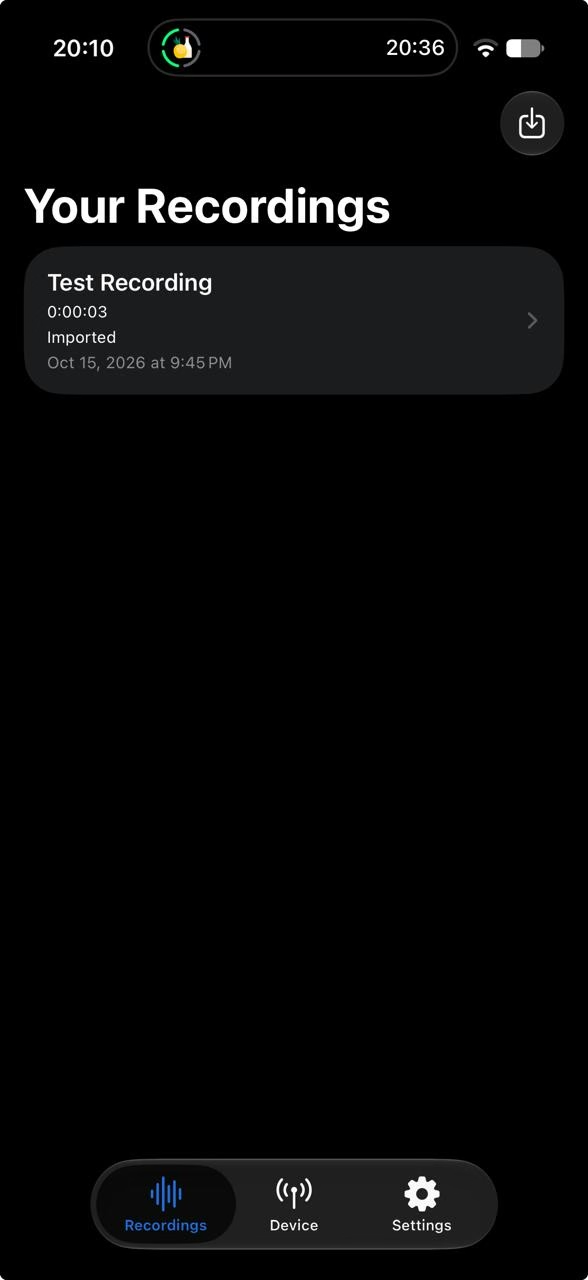
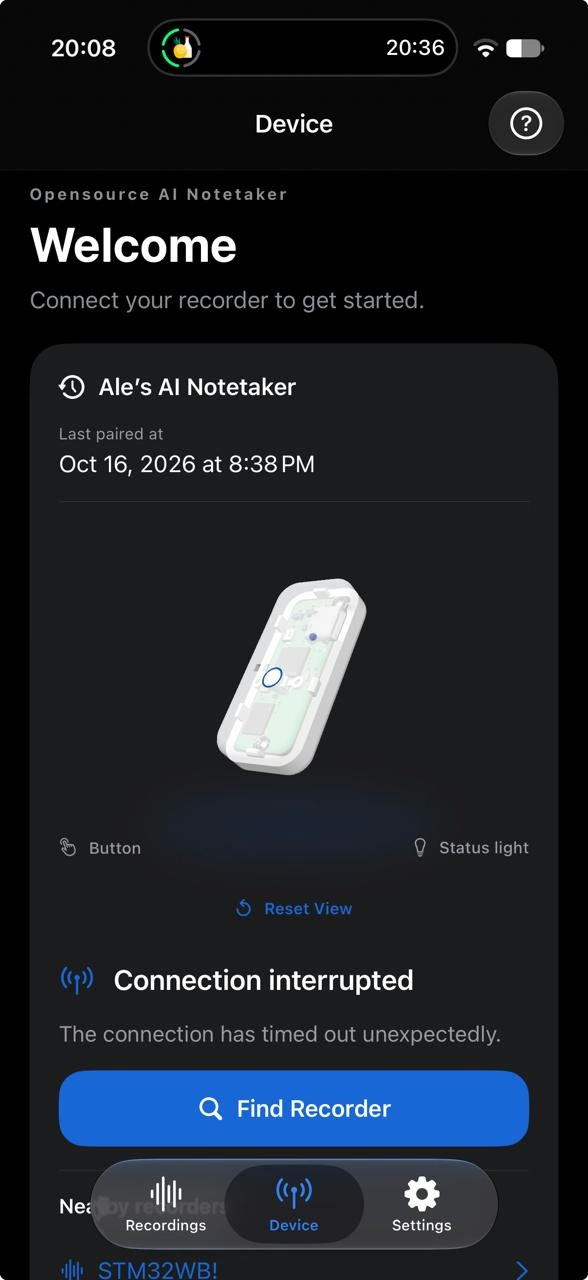
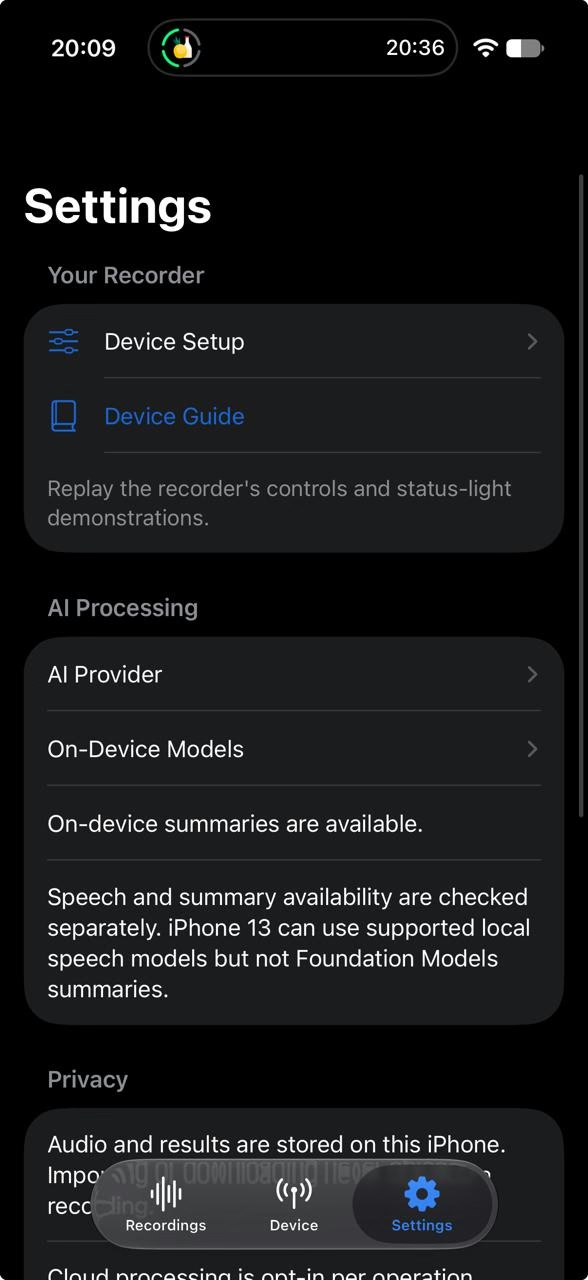
The app is still in development, and you can find its code here. I'll be working on an Android version soon so people with Android phones can also use the device.
Next development steps and how to contribute
We need people to help expand this project, especially by making it more reliable and secure and improving its features and capabilities. All PRs and issues are welcome! This tool could be a great way to help people focus on what matters most: human interactions.
Sponsorship
This project was completely sponsored by JLCPCB through the 2026 Stars program. JLCPCB is one of the most advanced PCB manufacturers, and they are now expanding their reach with the completely free EasyEDA platform. If you're a hardware enthusiast and would like to learn more, please use the links below:
References
| ^ | [1] | Plaud AI |
| ^ | [2] | Omi.me |
| ^ | [3] | JLCPCB |